From MVPs to native apps.
Pixel-perfect, every time.
Bravo doesn't approximate your design — it interprets it. Your Figma file is the spec, the build, and the deploy artifact. Native iOS and Android, every detail intact.
See it work,
in real time.
Three steps.
One file in, app out.
Bravo's workflow is the simplest path from design to App Store. No code generation. No translation. The file is the app.
Design in Figma
Bravo doesn't have templates. You build the file. We won't dilute your design — every screen ships exactly how you drew it.
Tag your layers
A Bravo Tag is a tiny string in a layer name. The Bravo Tag plugin adds them in bulk and validates the file is ready to ship.
Preview, then publish
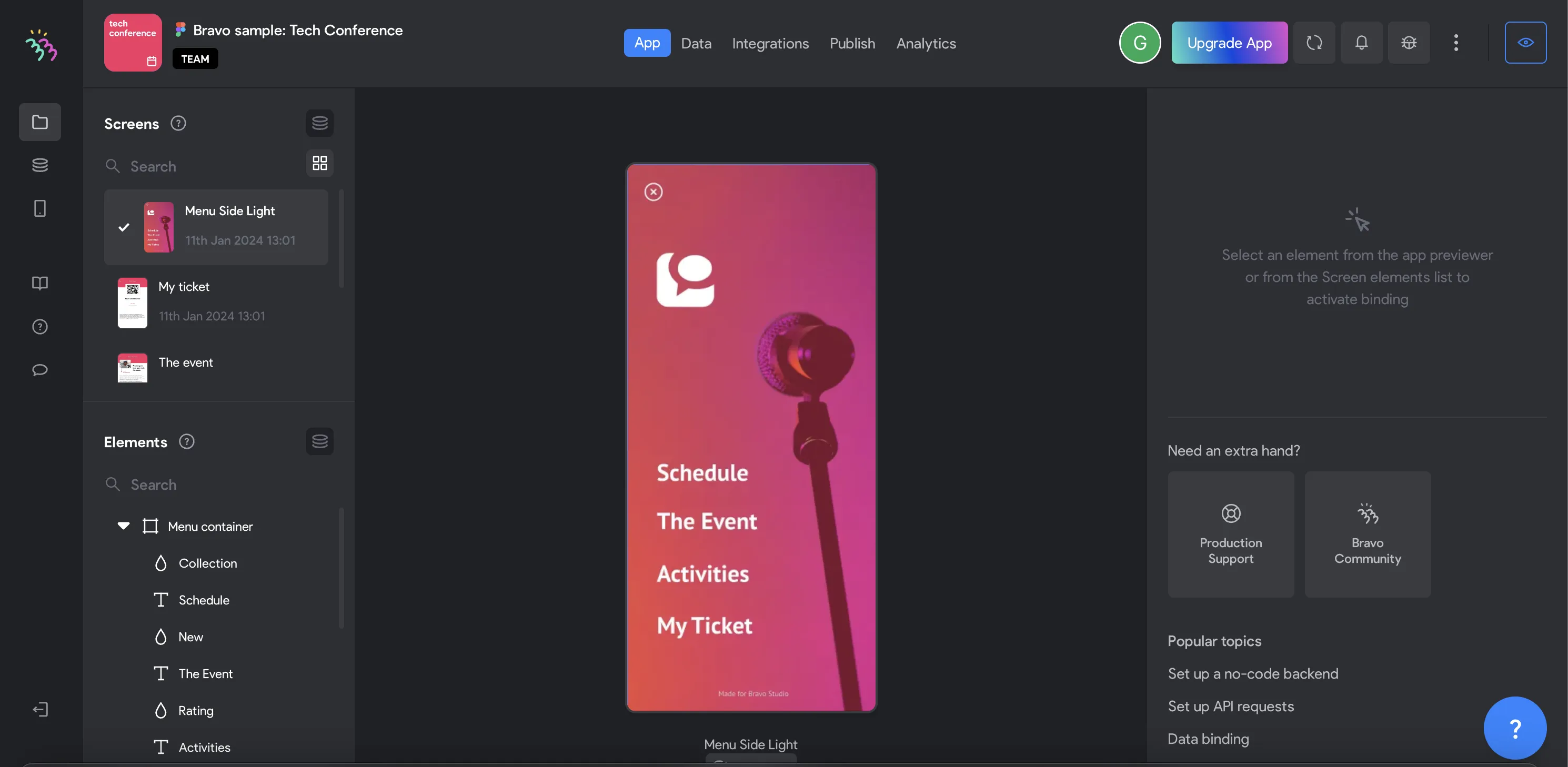
Open the build in Bravo Vision on your phone. Tweak the file, watch it hot-reload. Ship to TestFlight, the App Store, and Play Store.
Figma to app,
in a flash.
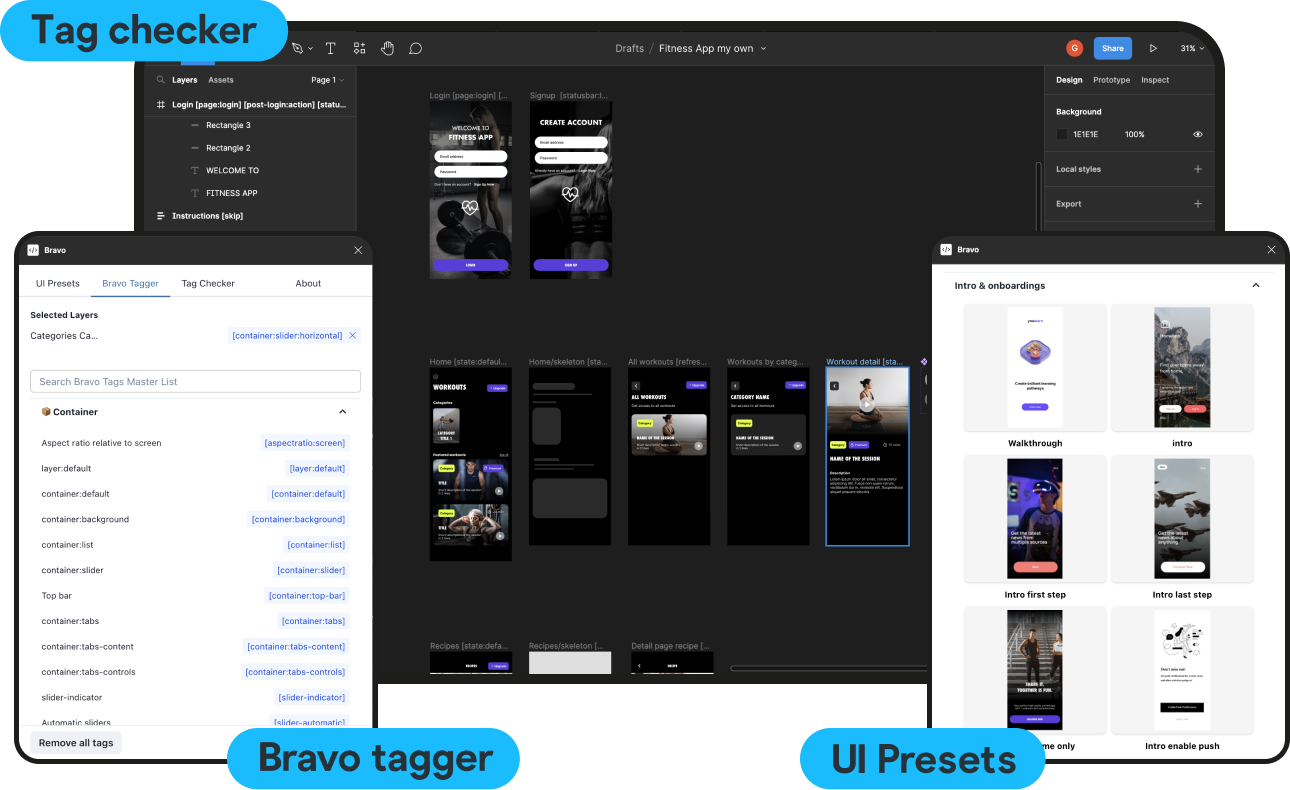
The Bravo Tag plugin lives inside Figma. Pick layers, apply tags in bulk, and validate the file is ready — all without leaving the design tool.
UI Presets
Drop-in Figma components that ship as ready-tagged native UI — Bravo handles the binding.
Bravo Tagger
Add tags to one layer or a thousand. No more renaming layers by hand.
Tag Checker
Catches missing tags, malformed bindings, and unsupported layouts before you sync.
Plug any backend.
Ship any kind of app.
Bravo speaks plain REST — any service with an API works. Below: three reference Figma files to fork.




Minimal photography-led travel guide that lets visuals breathe.
Open in Figma →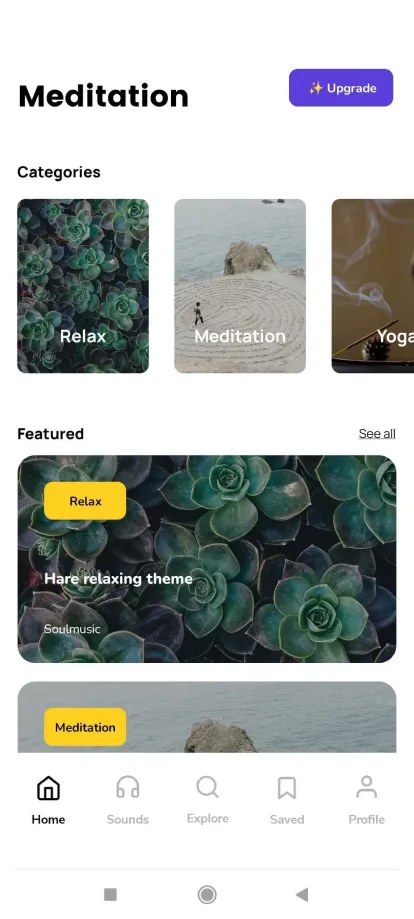
Full audio support — playlists, playback states, native lock-screen controls.
Open in Figma →
City food guide bound to a live database — sortable, searchable, filterable.
Open in Figma →Voices from the field.
Bravo just hits the sweet spot for me. With other tools, I either can't launch fast enough or can't make the design look the way I want, but with Bravo, I get to have it all.

With Bravo, I've discovered a game-changing tool that has elevated my design process and let me create experiences that truly resonate with my audience.

Whether it's a prototype or a fully functioning app, I really see Bravo as a market leader in app development.


Want it built
for you?
Bravo To Go is our managed build service. Our team turns your Figma file into a shipping app, end to end.
Learn about Bravo To GoYour Figma file.
Your shipping app.
Skip the painful setup. Connect your file, tag your layers, hit publish.